
Time and Attendance
From scheduled hours to approved hours.
The rota is the plan. Timesheets are what happened. NextRota starts each timesheet from the shift you already published.
How it works
Four steps. No retyping.
Publish the rota
Published shifts become timesheets to confirm.
Your team confirms
They confirm the hours, or report a difference.
You review and approve
Correct anything that needs it. Your approval is final.
Export
Download approved hours as a payroll CSV.
For employees
Simple to confirm.
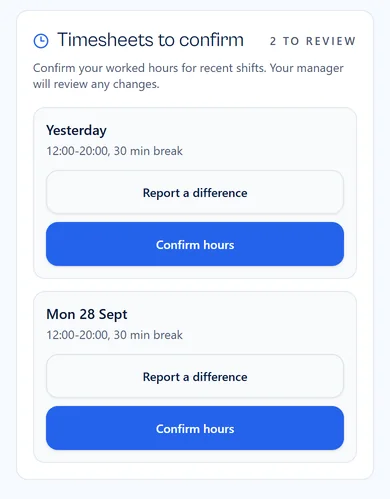
Your team sees the shifts to confirm on their Overview. If the day went as planned, they confirm it. If not, they tell you what changed.
For managers
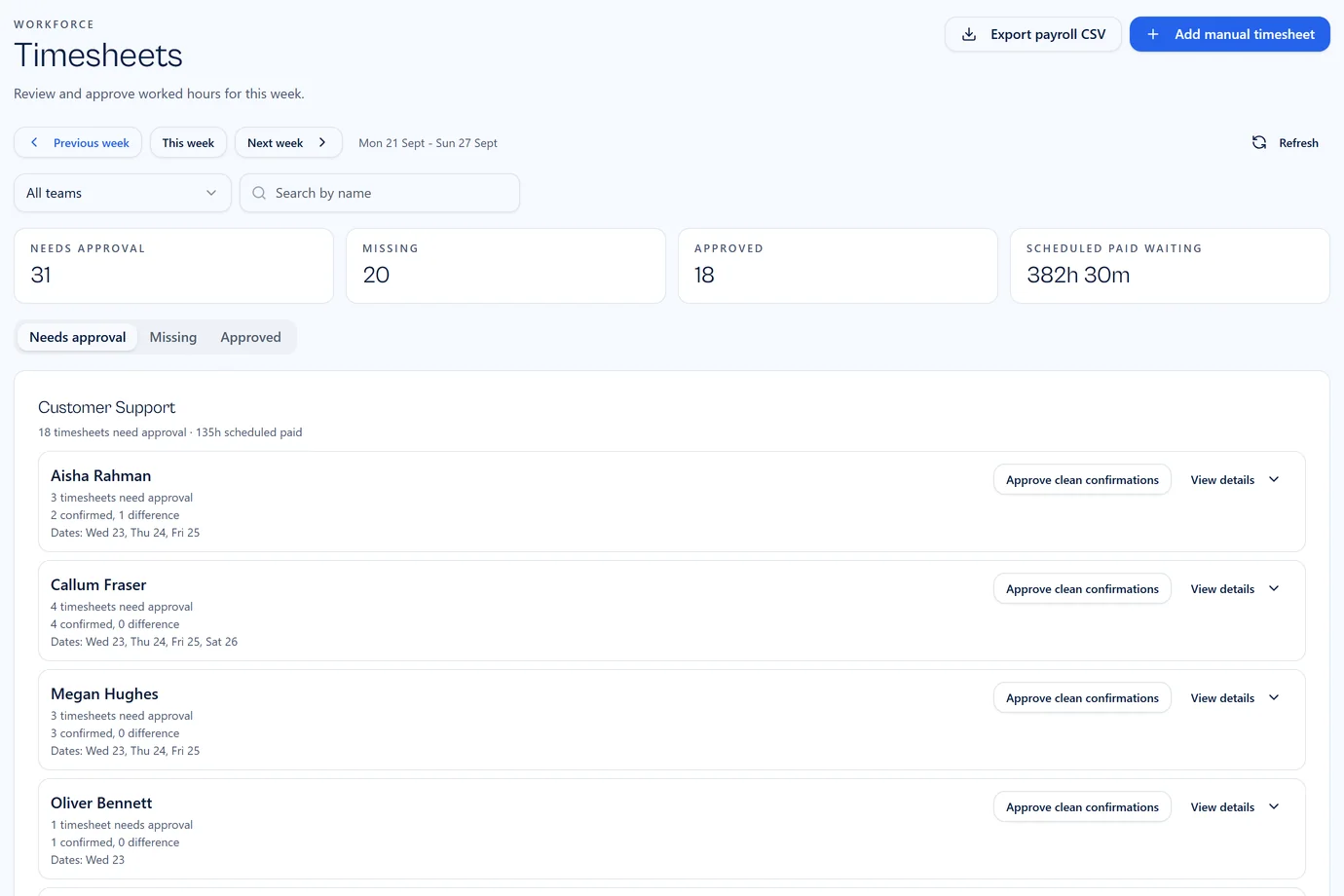
Everything waiting for you, in one list.
Needs approval holds what your team has sent. Missing holds shifts nobody has confirmed. Approved is the final record.
Approved hours
Export approved hours as a payroll CSV.
NextRota prepares approved hours for payroll. It does not calculate pay or run payroll.
Employees
- Confirm hours
- Report a late start, an early finish or a changed break
- Add a note for the manager
Managers
- Approve a day, a person or a team
- Edit and approve in one step
- Approve scheduled hours where nothing was confirmed
- Add a manual timesheet for unscheduled work