Employee experience
Your team always knows what's next.
A rota only works if people can see it. NextRota gives every employee a clear view of their week and simple ways to ask for what they need.
My roster
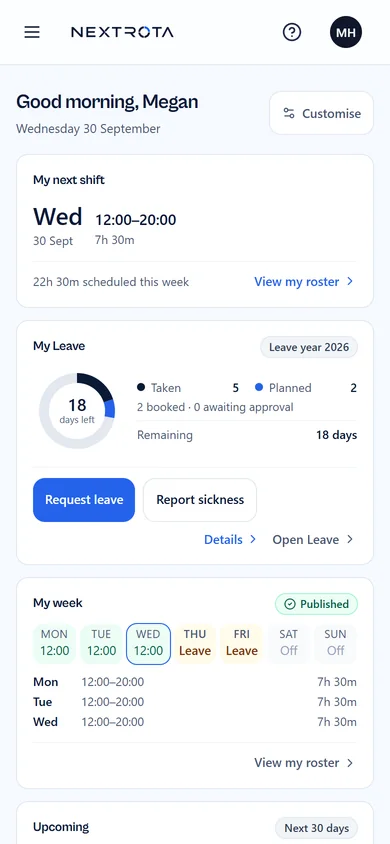
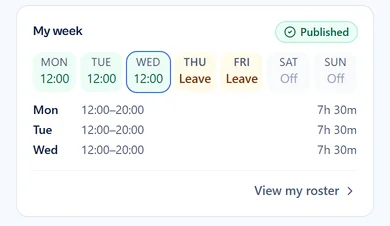
Their week, at a glance.
My roster shows each person's published shifts. They can open a day to see times, location, what they're doing and any note from their manager.
- My week and Team roster
- Approved leave, sickness and bank holidays shown on the day
- Weeks appear once you publish them
Time off
Ask for leave without the back and forth.
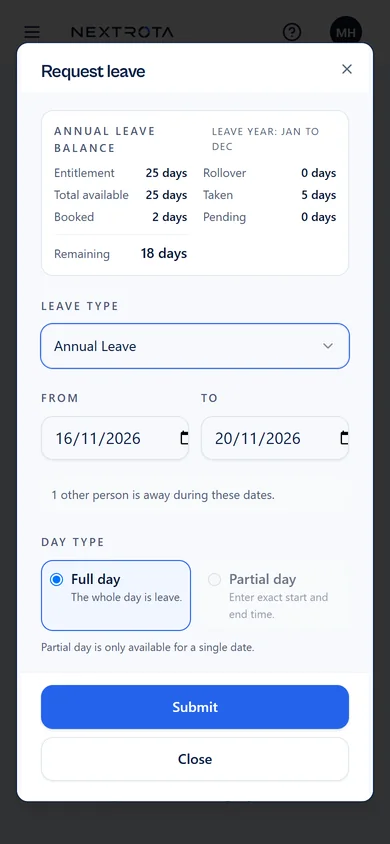
Employees see their balance, choose the dates and send the request. They can see who it's waiting with.
- Request leave
- Report sickness and record a return
- Withdraw a request that hasn't been decided
Confirm hours
Simple to confirm.
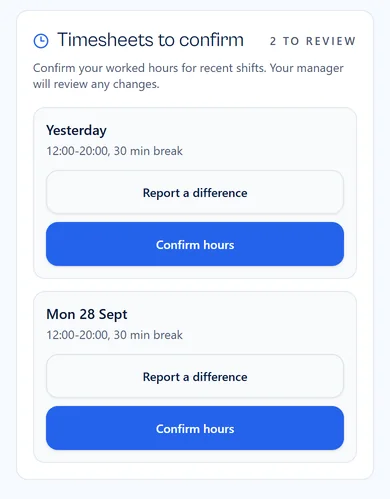
Your team sees the shifts to confirm on their Overview. If the day went as planned, they confirm it. If not, they tell you what changed.
- Confirm hours
- Report a late start, an early finish or a changed break
- Add a note for the manager
Changes and hours
Small changes, handled simply.
When something needs to change, employees ask in NextRota so there's a record.
- Ask to swap a shift
- Confirm hours, where Time and Attendance is on
- Report a difference with a reason
Managers get control. Teams get clarity.
Employees
- See My roster and the Team roster
- Request leave and report sickness
- Ask to swap a shift
- Confirm hours, where Time and Attendance is on
Managers
- Plan and publish the rota
- Approve leave and swaps
- Review and approve hours
- See cover, workload and utilisation
Works in the browser on a phone, tablet or computer.