Product
Everything you need to run the working week.
Plan the rota, keep cover visible, manage your people, approve the hours worked and understand what the week is telling you. One workspace, built for shift-based teams.
How it fits together
Built for the real working week.
When the rota, leave and worked hours live in separate places, the week gets harder to manage. NextRota keeps each step connected to the one before it.
Scheduling and Rota Style
Build the week and reuse what works.
Explore schedulingPeople, Leave and Sickness
Your team, their time off and who manages what.
Explore people and leaveTime and Attendance
From scheduled hours to approved hours.
Explore Time and AttendanceInsights and Wellbeing
Utilisation, workload and fairness.
Explore insightsEmployee experience
What your team sees.
See the employee experience
Scheduling and Rota Style
Build the week your way.
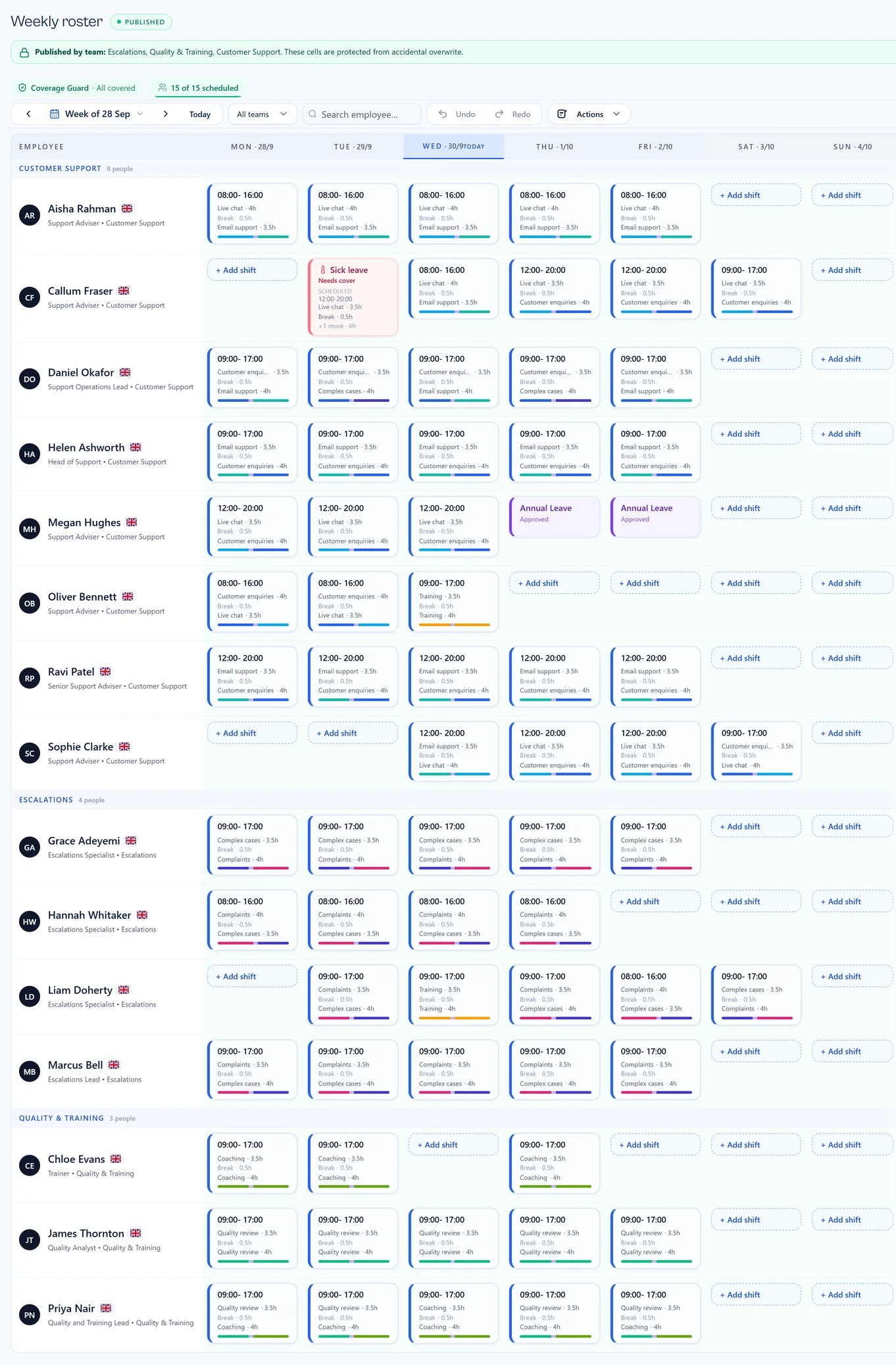
The Weekly roster shows one Monday to Sunday week, one row per person. Add shifts by hand, reuse what worked last week, or fill many days at once.
Rota Style
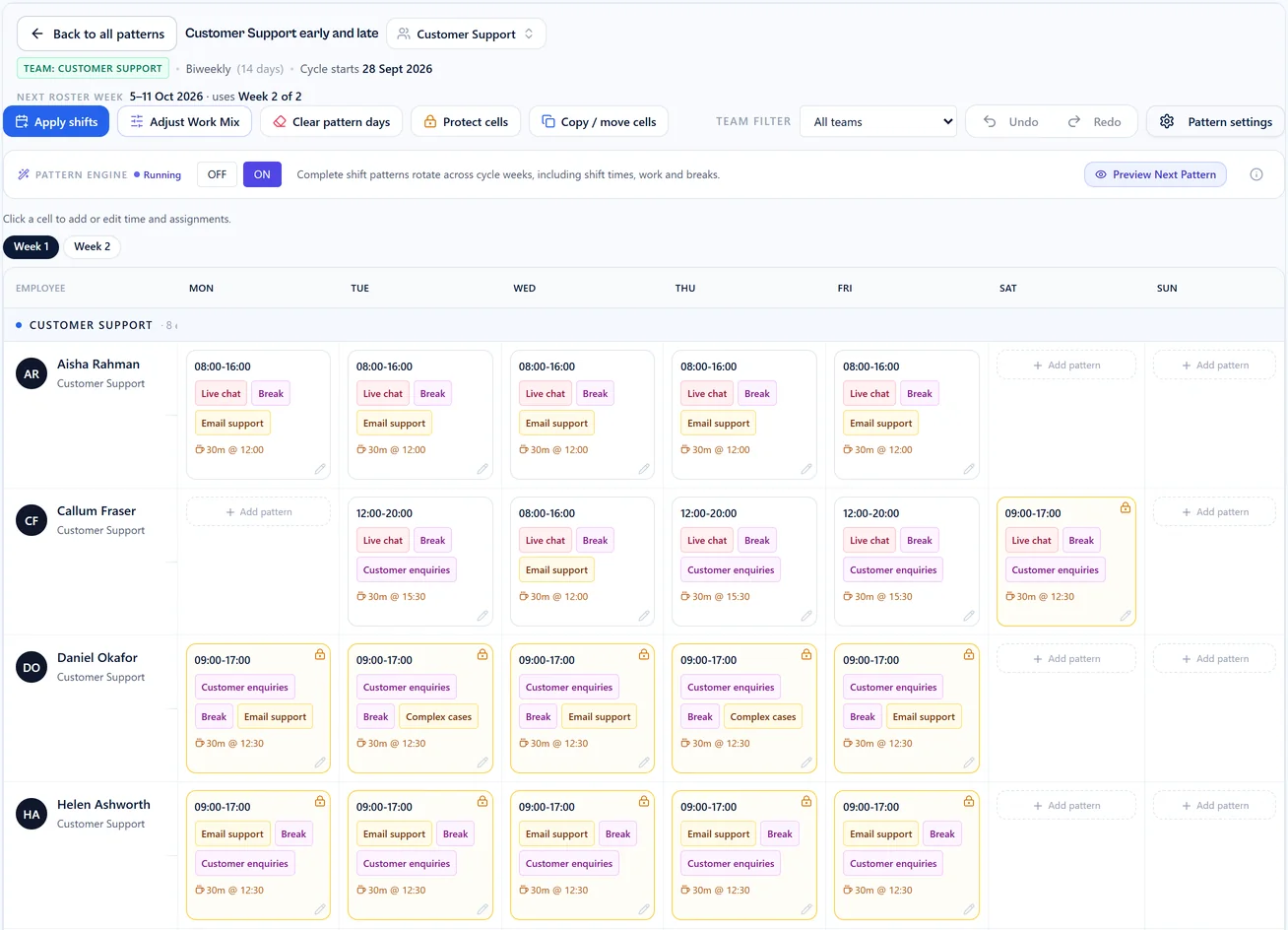
Rota Style is your reusable rota plan. Set up the shifts your team usually works over 1 to 12 weeks, then apply it to any week as a draft.
Coverage Guard
Tell NextRota the minimum staffing you need. Coverage Guard checks the rota against it and shows the gaps on the roster.
People, Leave and Sickness
Time off, handled properly.
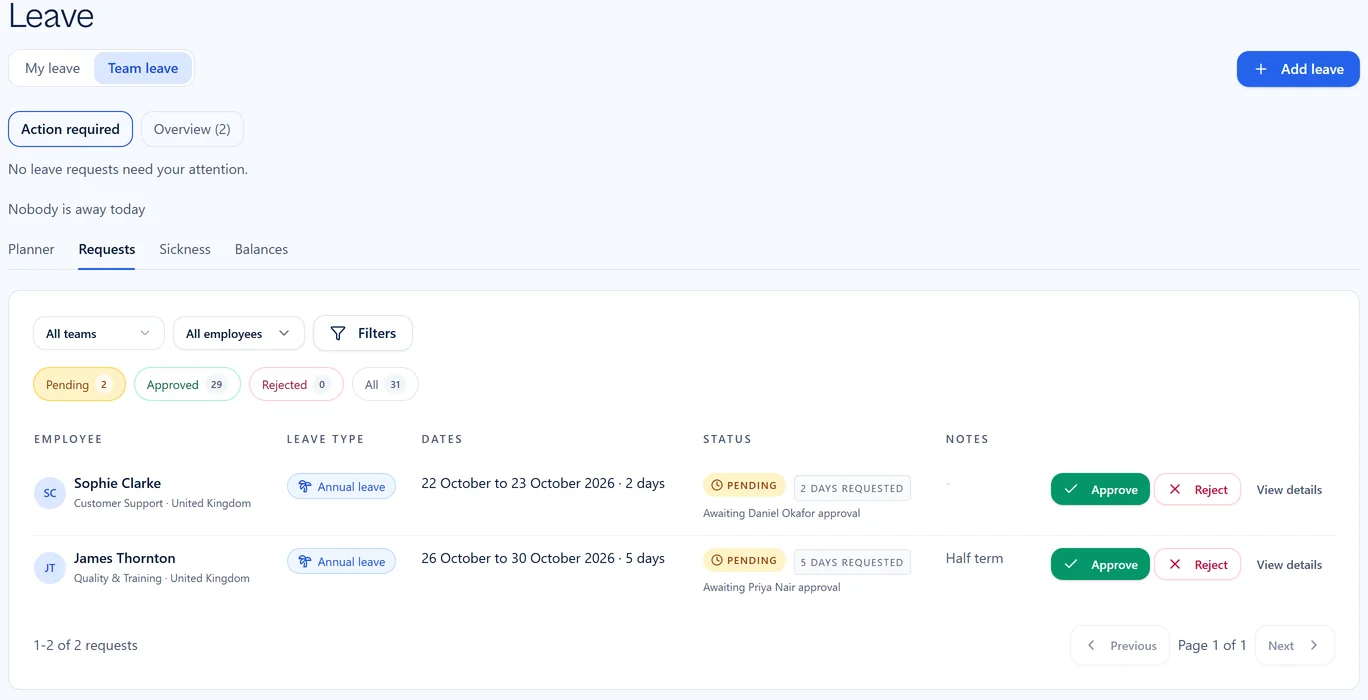
Requests, approvals and balances live beside the rota, so approved leave shows up where you plan.
Sickness
Sickness recorded straight away, with the return recorded when it happens.
Working patterns
Record each person's normal days and hours. NextRota uses them for leave and reporting.
The right access for every role
Decide who runs the workspace, who manages a team and who only needs to see their own rota.
Time and Attendance
From scheduled hours to approved hours.
Optional, and off until you need it. When it's on, published shifts become timesheets for your team to confirm and for you to approve.
Publish the rota
Published shifts become timesheets to confirm.
Your team confirms
They confirm the hours, or report a difference.
You review and approve
Correct anything that needs it. Your approval is final.
Export
Download approved hours as a payroll CSV.
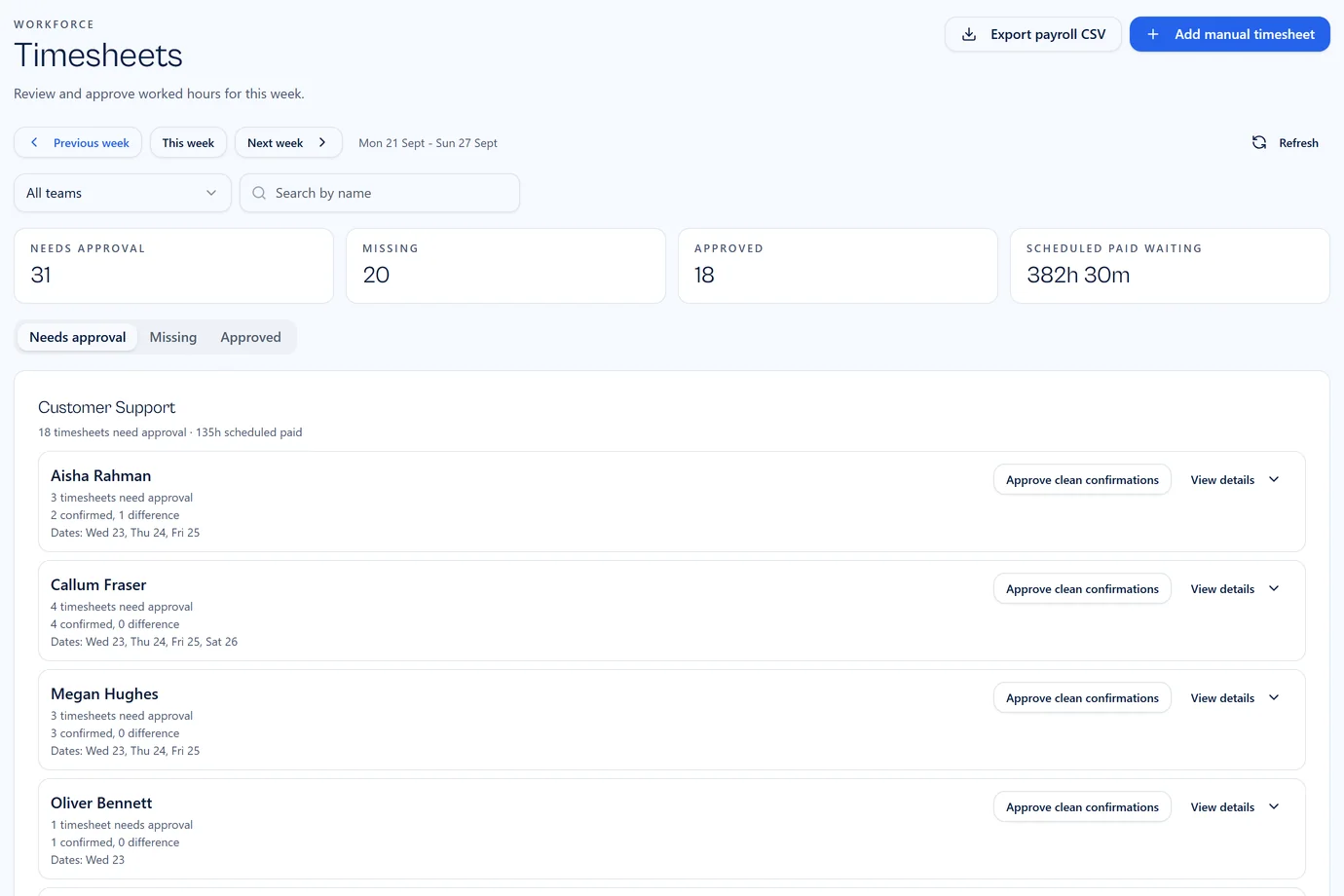
NextRota prepares approved hours for payroll. It does not run payroll.
Insights and Wellbeing
Understand the week, not just the rota.
See how time was used and where the rota is asking too much of someone.
- Utilisation by company, team and person
- Wellbeing measures for workload, rest and fair scheduling
- Performance Focus to compare results with assigned work
- Audit log of changes
- Export to Excel
Wellbeing highlights scheduling patterns. It is not a health assessment or a statement of legal compliance.
Explore insights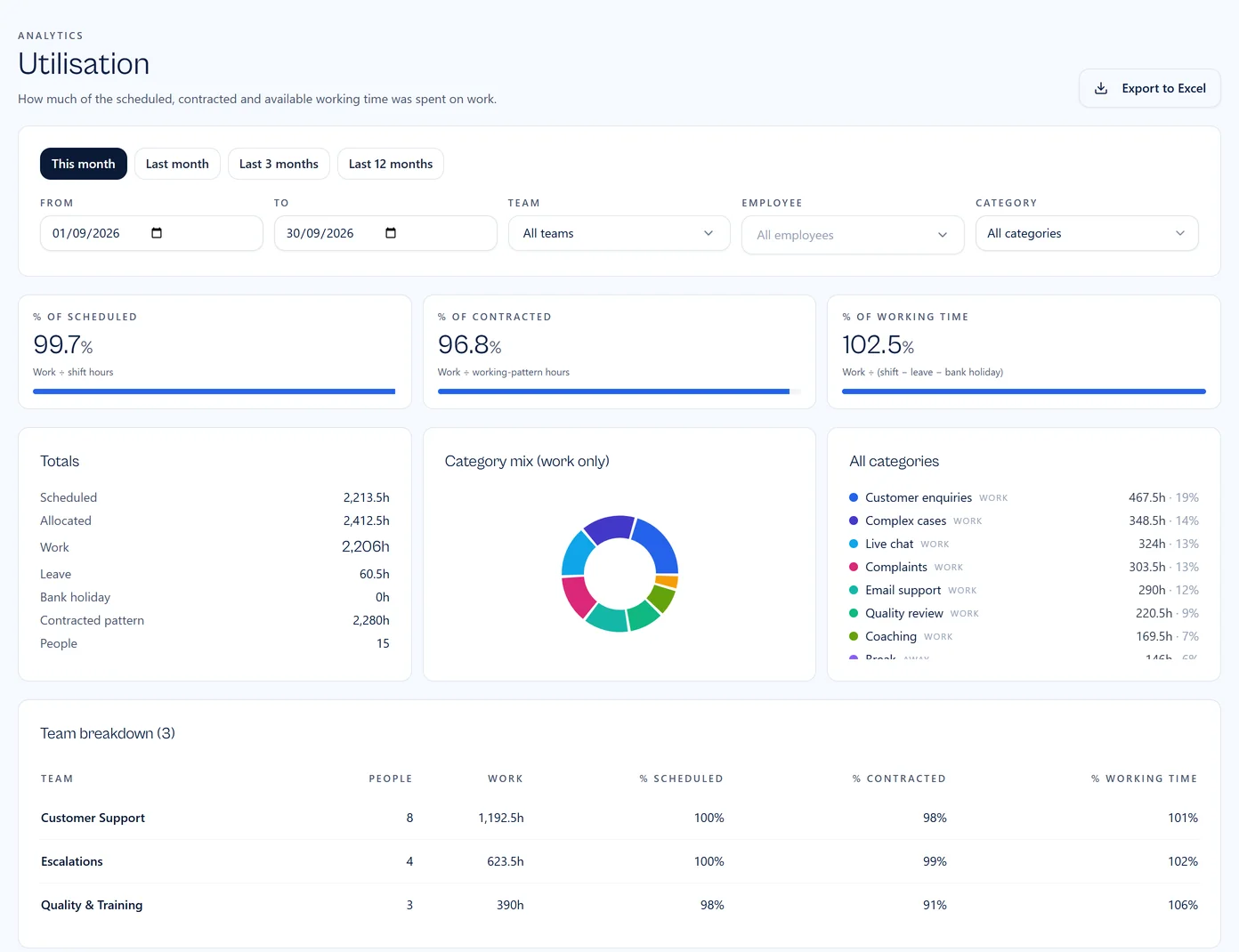
Employee experience
Your team always knows what's next.
Employees see their own week once you publish it, on any device.
- My roster and Team roster
- Shift details and notes from their manager
- Request leave and report sickness
- Ask to swap a shift
- Confirm hours, where Time and Attendance is on
Works in the browser on a phone, tablet or computer.
See the employee experience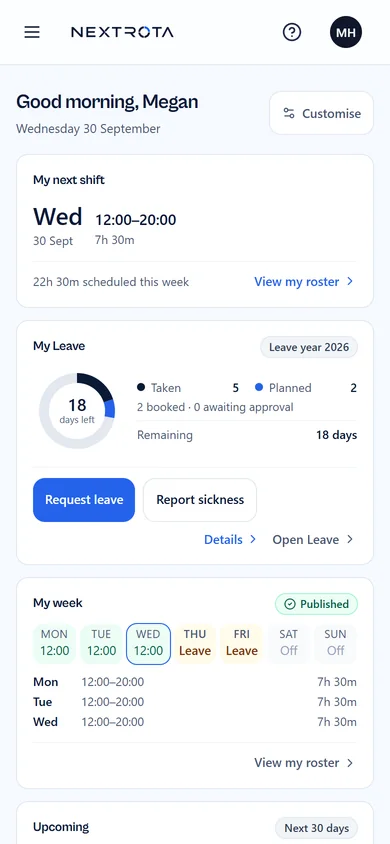
Getting started
Start simple. Get useful quickly.
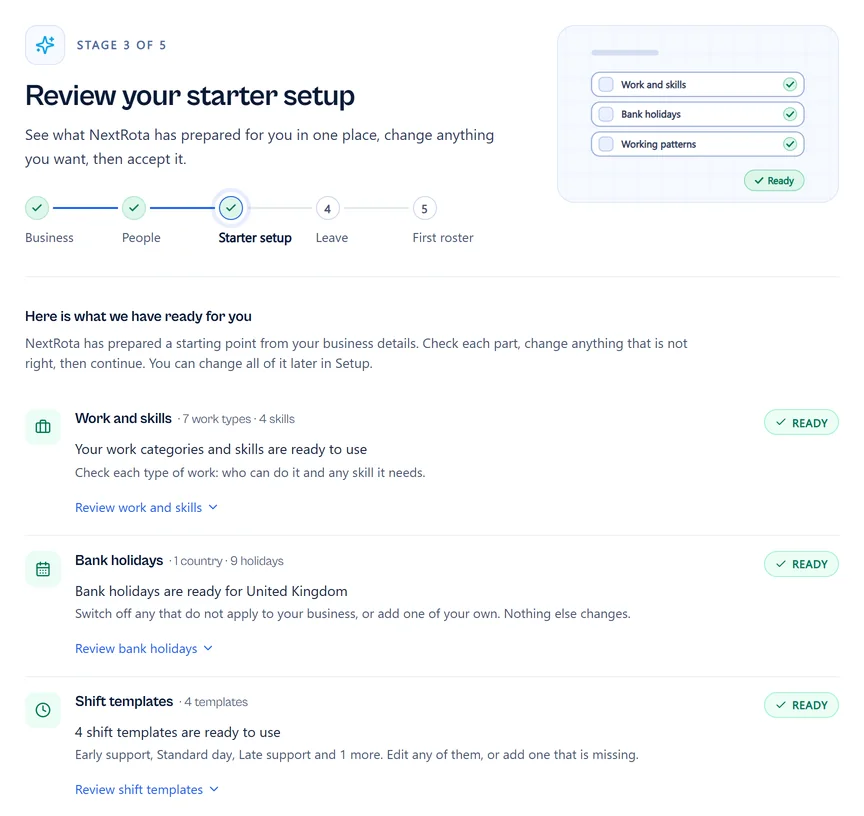
Setup walks you from an empty workspace to your first roster in five steps. Help is on every page.
- Five-step Setup: Business, People, Starter setup, Leave, First roster
- Roster tour for new managers
- Help that suggests answers for the page you're on
- Search across every help article