
Scheduling and Rota Style
Build the week. Reuse what works.
Create the week by hand, fill it in bulk or start from a pattern you already trust. You decide when it's ready to publish.
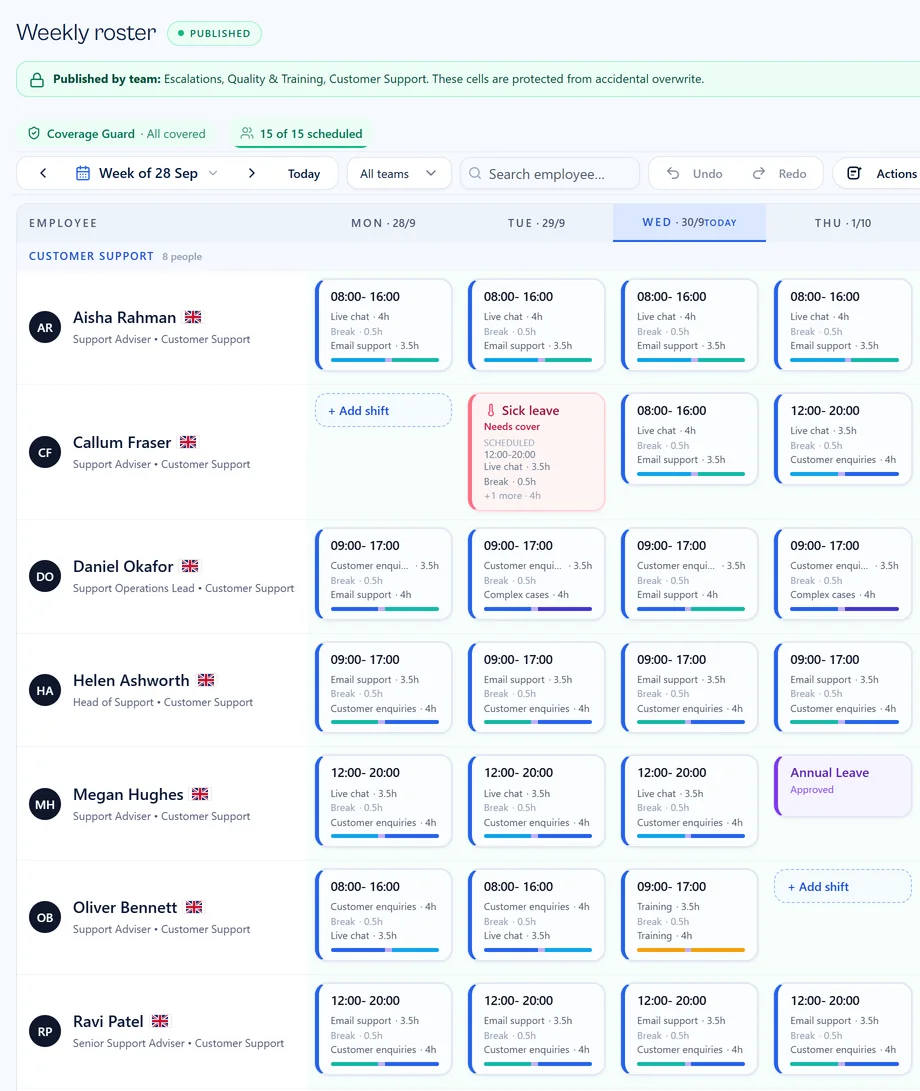
One week. One clear view.
Every person has a row and every day has a column. Approved leave, sickness and bank holidays appear on the same grid, so you plan around what's real.
- Add a shift straight from the grid
- Split a shift into work, breaks and training
- See who is scheduled at a glance
- Undo and redo as you go
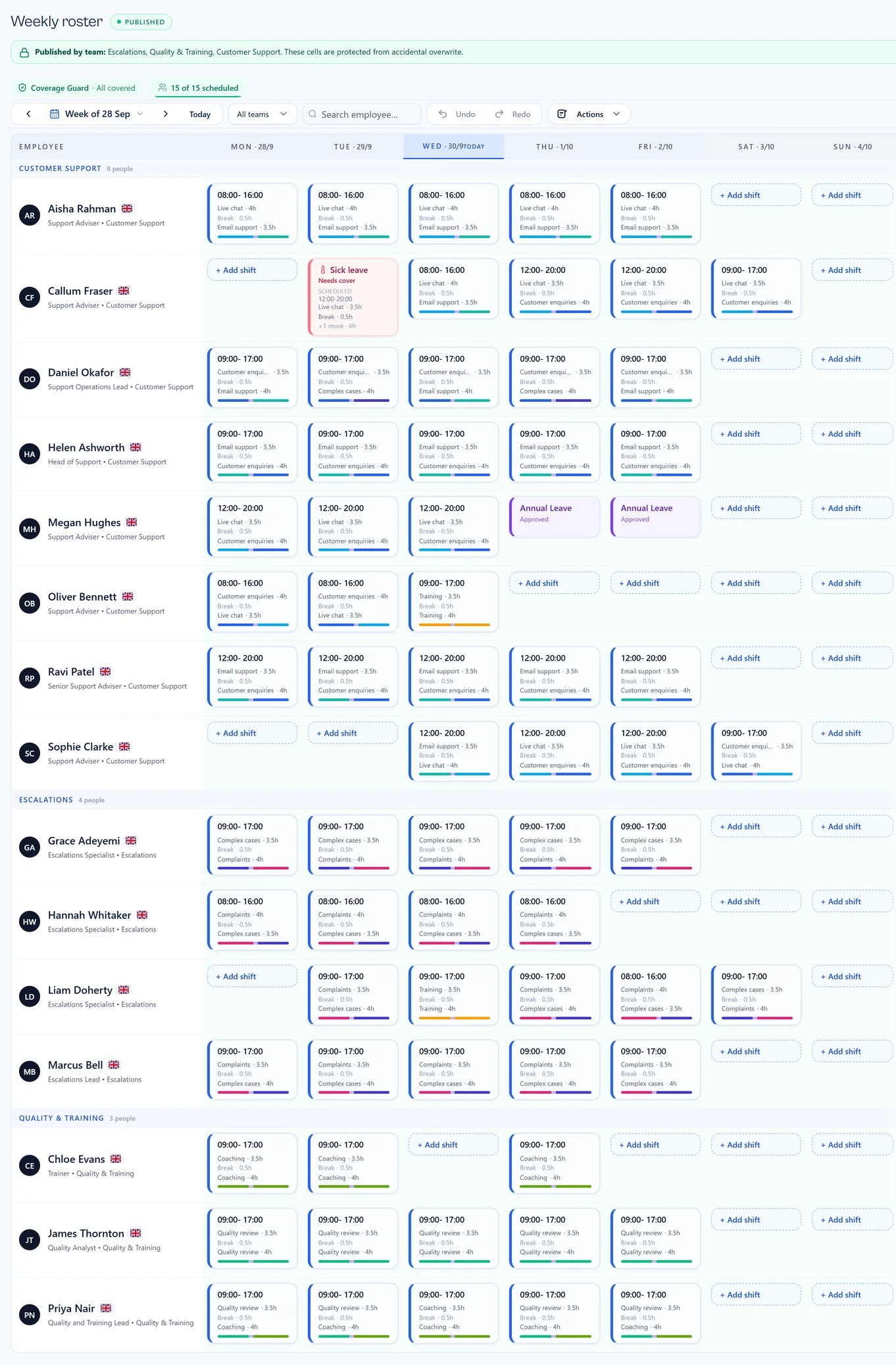
Set a shift up once.
Save the shifts you use most as templates. Apply one to a single day, or to many people and days together.
- Shift templates with times, work and breaks
- Apply shifts across people and days
- Copy the previous week
- Clear shifts when plans change
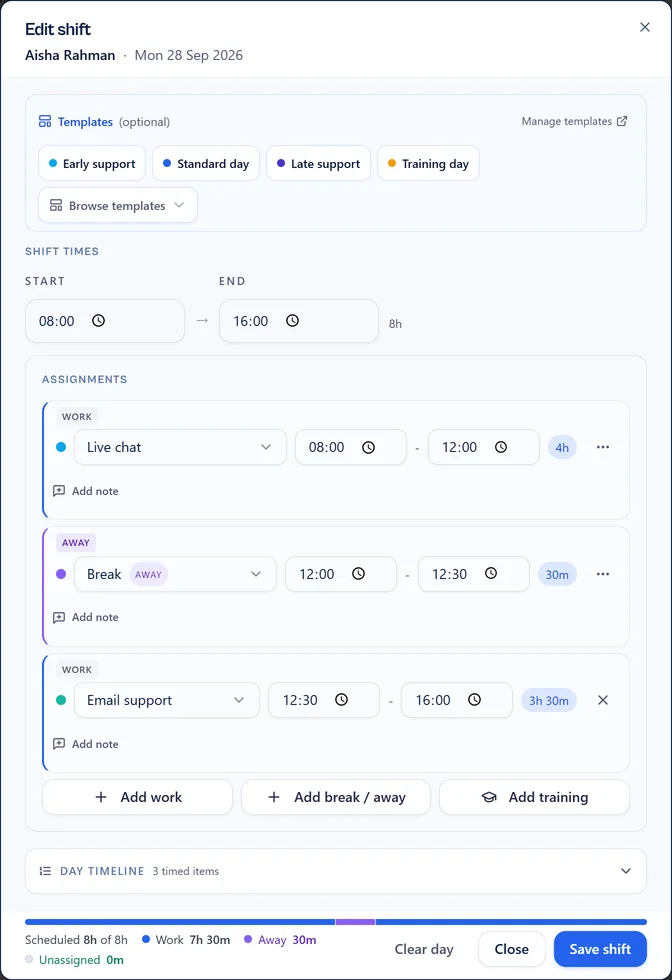
Rota Style
Plan once. Reuse the rhythm that works.
Rota Style is your reusable rota plan. It records who usually works which days, with times, work and breaks, over 1 to 12 weeks. The pattern repeats in order.
- Patterns from 1 to 12 weeks
- A shared company pattern, or a pattern for one team
- See which pattern week the next roster week will use
Keep it fair. Keep what matters fixed.
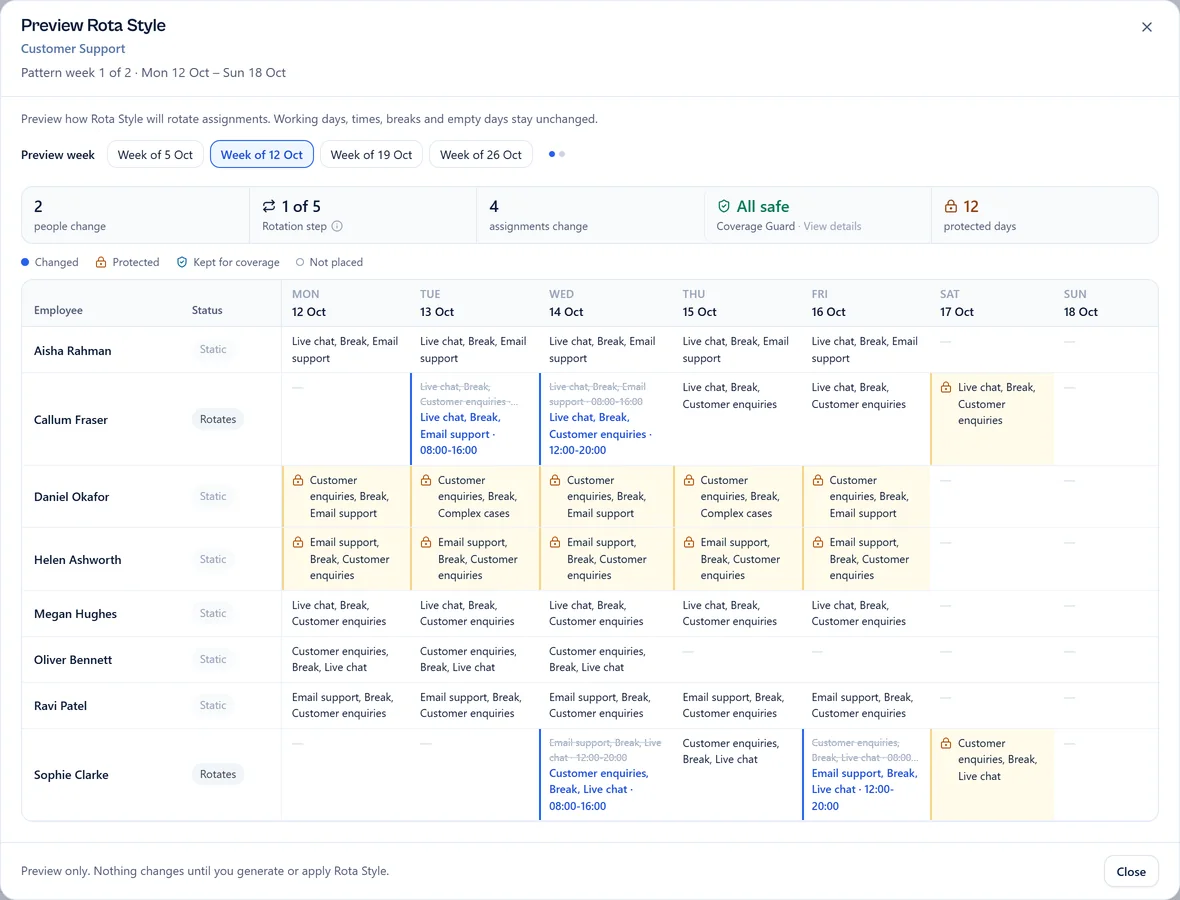
With the Pattern Engine off, everyone keeps the same days each cycle. Switch it on and complete pattern days rotate across the cycle weeks. Shift times, work and breaks move together. Protect keeps the days you choose exactly where they are.
- Preview the next pattern before anything changes
- Protected and empty days stay fixed
- Coverage Guard can keep a day in place if moving it would weaken cover
Applying a Rota Style pattern or a set of shifts fills a draft. It never publishes on its own.
Coverage Guard
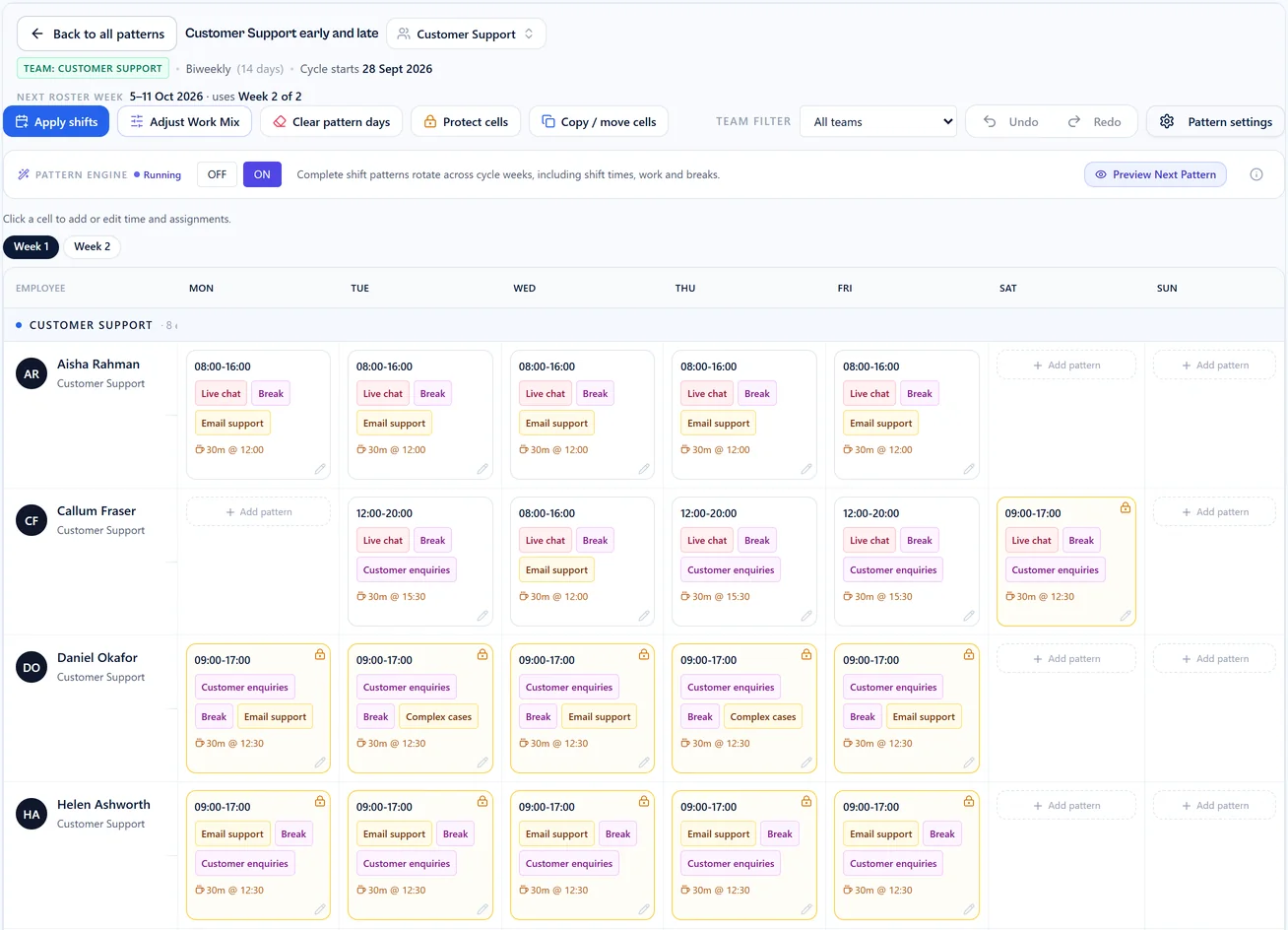
See where cover is short.
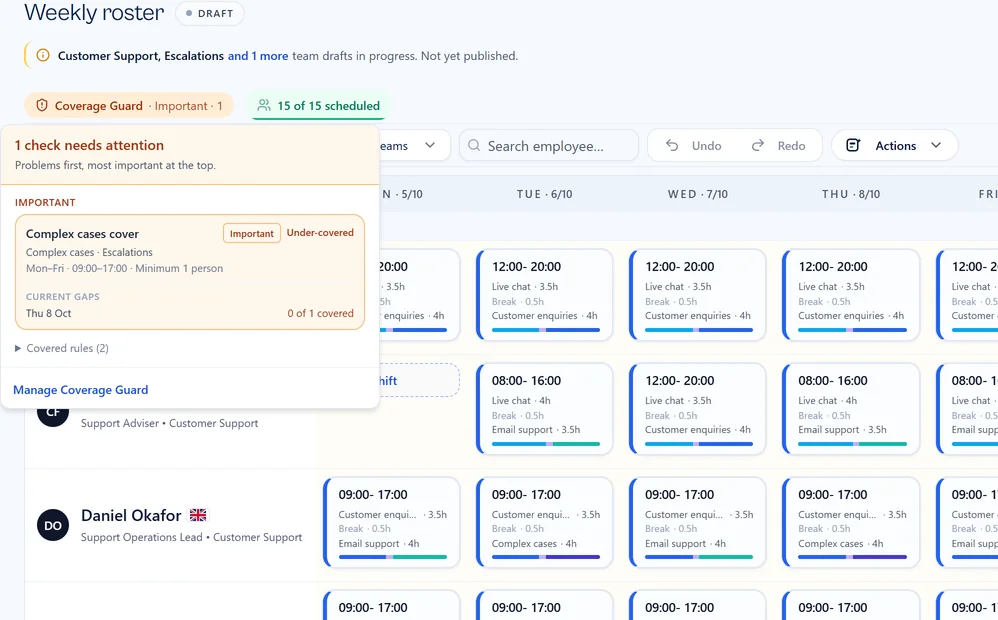
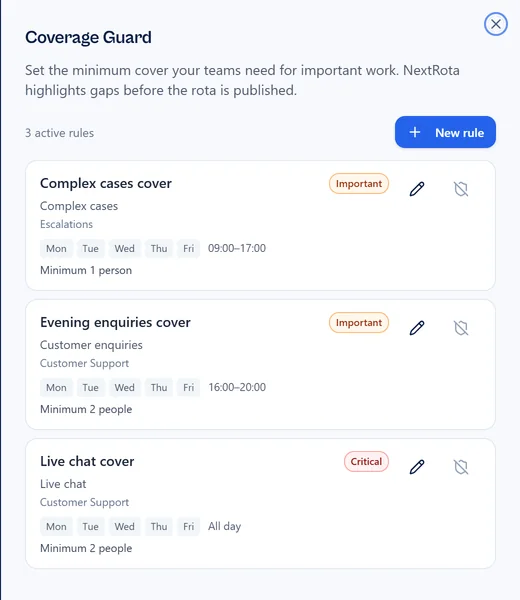
Tell NextRota the minimum staffing you need. Coverage Guard checks the rota against it and shows the gaps on the roster, most important first.
- Minimum people, or a minimum share of scheduled time
- Rules for the whole company, each team, or one team
- All day or specific hours
- Critical, Important and Advisory levels of importance
Coverage Guard highlights gaps. It does not stop you publishing.
Working patterns
Know what normal looks like.
A working pattern describes someone's normal days and hours. NextRota uses it to count leave properly and to report on expected hours. It never puts shifts on the rota.
- Saved patterns you can reuse
- Custom settings for one person
- Change a pattern from a date
Publish when the week is ready.
A new week is a draft. Your team sees it on My roster once it's published, and they're told by email. Publish everyone together or one team at a time.
Plan
A new week is a draft.
Check
Coverage Guard highlights gaps. It does not stop you publishing.
Publish
Publish everyone together or one team at a time.
Team sees the result
Your team sees it on My roster once it's published, and they're told by email.
- Draft, Published and Locked weeks
- Publish by team
- Edit a single shift after publishing
- Export to Excel and PDF