
Insights and Wellbeing
Understand the week, not just the rota.
NextRota turns the rota you ran into clear information about time, workload and fairness.
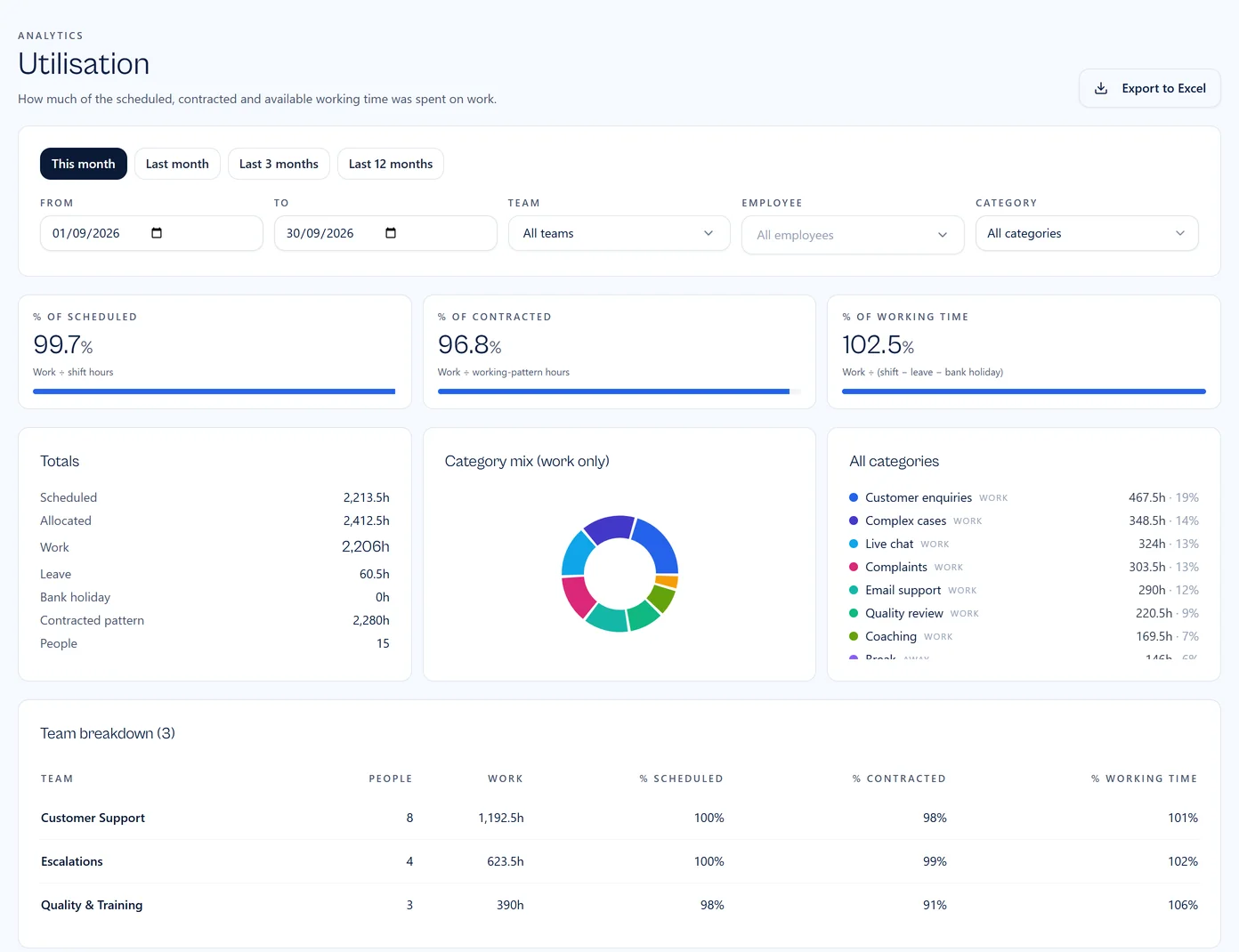
Utilisation
See where the time went.
Three percentages show how much scheduled, contracted and available working time was spent on work. Choose the dates, then look by team or by person.
- Percentage of scheduled time
- Percentage of contracted time
- Percentage of working time after leave and bank holidays
- Breakdown by work category
- Export to Excel
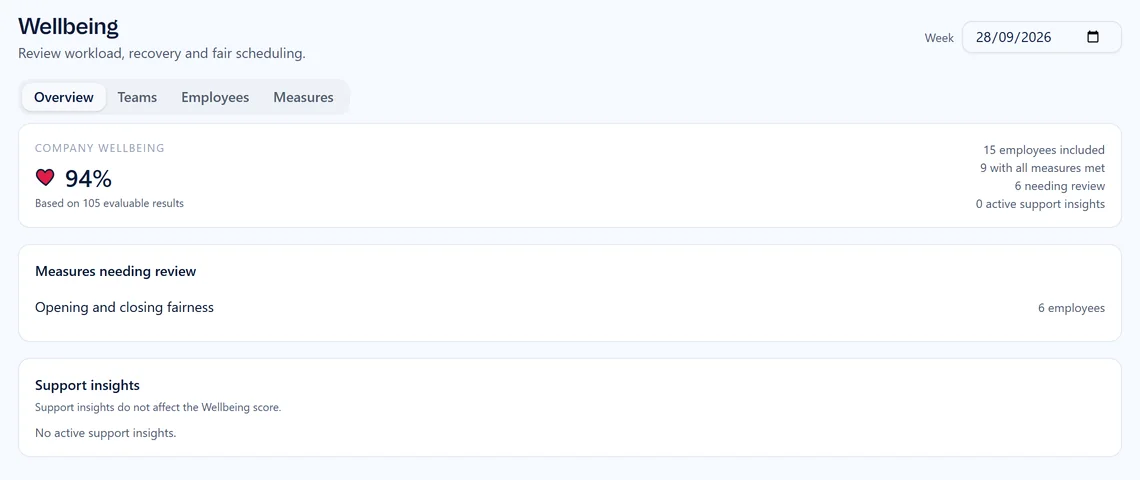
Wellbeing
Notice the pressure before it builds.
Wellbeing reviews each week's rota for scheduling conditions worth a second look, such as a very long week, short rest between shifts or one person carrying more than their share.
- Weekly workload
- Rest between shifts
- Long shifts and repeated long shifts
- Consecutive working days and night shifts
- Fair sharing of work types, and of opening and closing shifts
- Settings you can adjust by team or for one person
Wellbeing highlights scheduling patterns for a manager to review. It is not a health assessment and it does not confirm legal compliance.
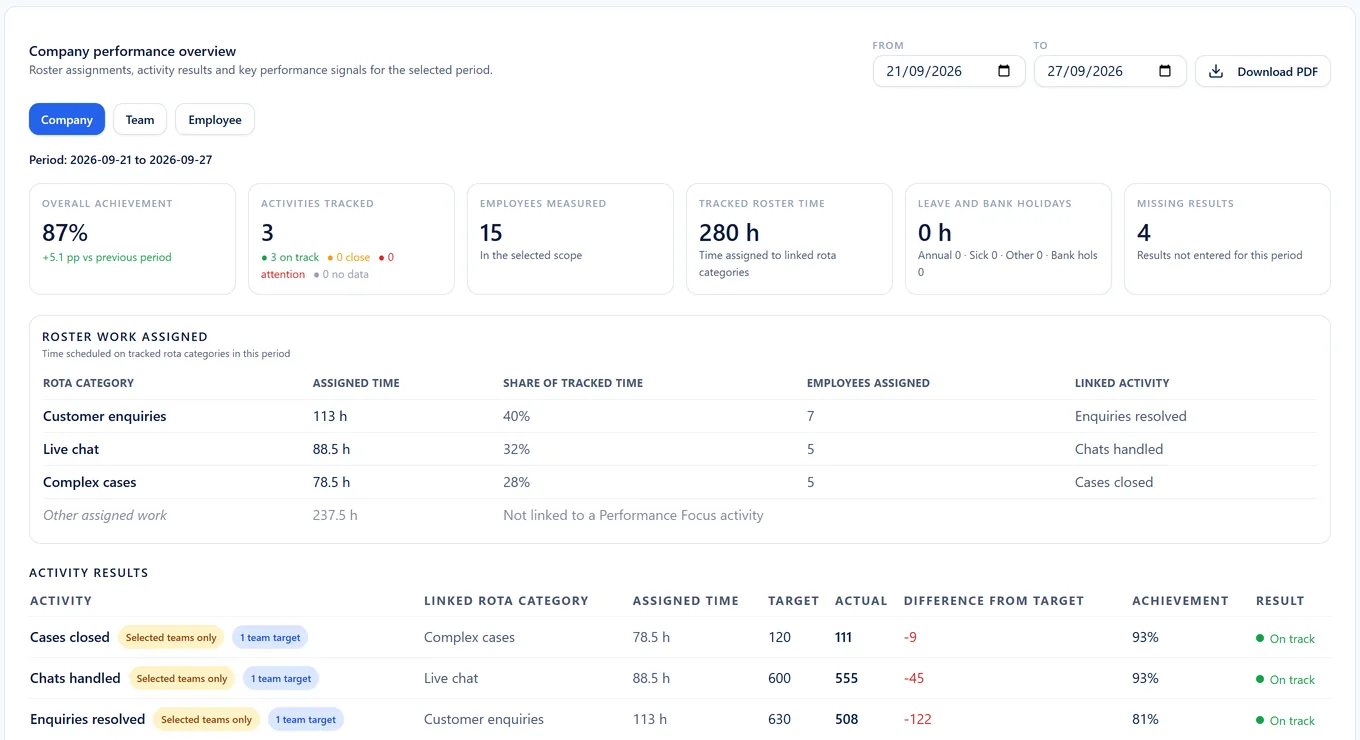
Performance Focus
Compare results with the work you assigned.
Bring in your activity results and see them beside the rota. Targets adjust fairly when someone was on leave or it was a bank holiday.
- Company, team and employee views
- Import results from a spreadsheet
See what the week is telling you.
Utilisation
How much scheduled, contracted and available time was spent on work, by team and person.
Wellbeing
Scheduling signals to review, such as long shifts, short rest between shifts and how fairly work is shared.
Performance Focus
Compare results with the work you assigned, adjusted fairly for leave.